
Every transaction, organized your way
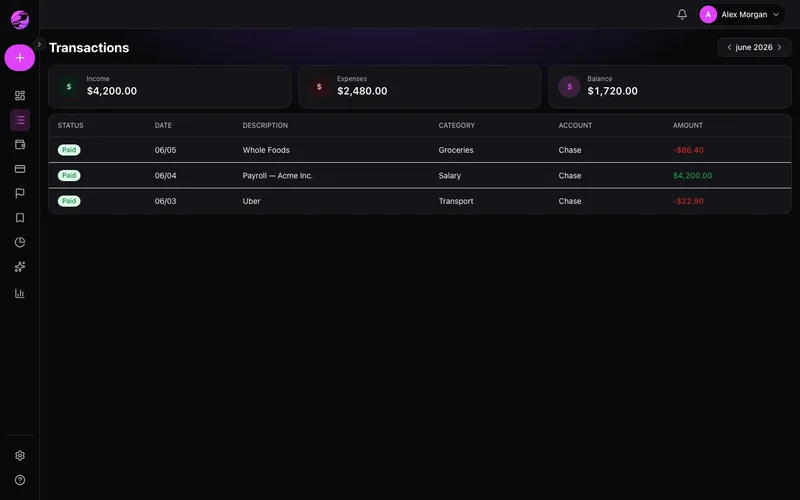
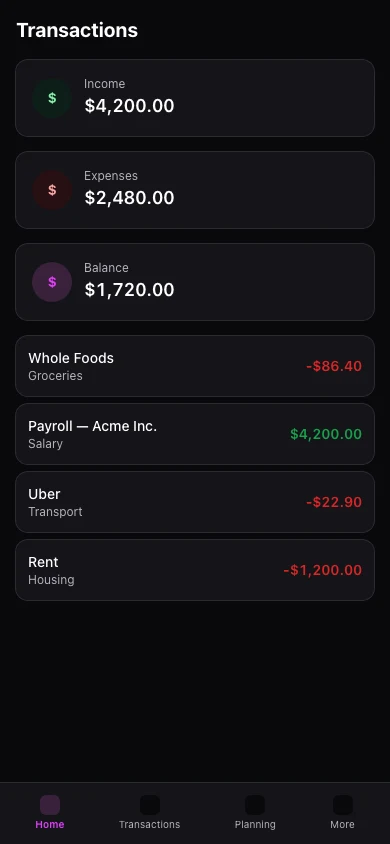
Log income, expenses, and transfers with categories, tags, and status — filter any period in seconds.
Receipts and lines pile up
Without structure, month-end becomes a hunt through bank exports and memory.
A ledger that stays clean
Quick entry, powerful filters, and recurrence for items that repeat every month.
The result
Month-end becomes a five-minute review, not a spreadsheet marathon.
Add transactions manually or import files. Mark paid, pending, or scheduled.
Recurrence repeats rent, subscriptions, and salary without retyping. Filters audit any period.
Premium adds attachments and CSV export. Mobile supports create, edit, and list.
Real example
Filter 'Restaurants' for last month, spot the spike, and set a tighter budget before the next statement.
What you can do
- Income, expenses, and transfers in one ledger
- Recurring templates for rent and subscriptions
- Filters by account, category, and period
- Premium: attachments and CSV export
How it works
- 1
Capture spending
Log a transaction or import a statement.
- 2
Categorize
Apply categories and tags that match your life.
- 3
Analyze reports
Use filters to spot patterns and fix leaks.
Import and attachments
Import works on Free. Attachments and CSV export require Premium.
View plansFrequently asked questions
Can I import statements?
Recurrence on Free?
Attachments on mobile?
How do transfers work?
Related features
Ready for financial clarity?
Create your account in under a minute. Free forever — Premium only if you want it.
Start for free