
Recurring spend, finally visible
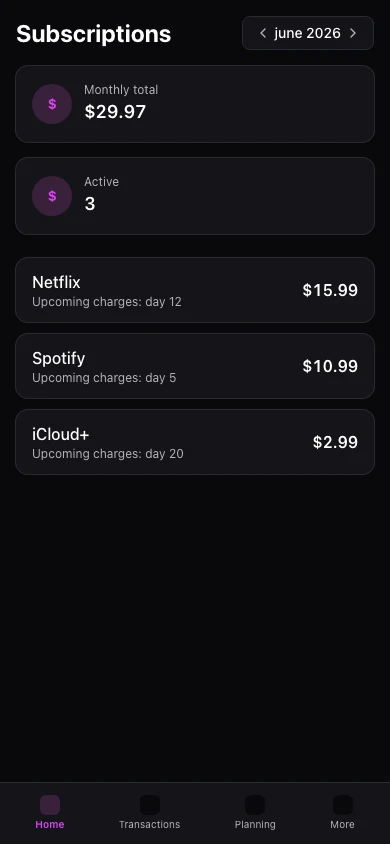
Streaming, cloud tools, gym — the subscription hub groups recurring charges so you cut what you forgot.

Subscriptions hide in small charges
Monthly amounts slip by until they add up to a serious line item.
One hub for recurring services
Track expected amount, renewal timing, and category for each subscription-like expense.
The result
Reclaim money from subscriptions you forgot existed.
The hub lists recurring transactions and labels services with expected amounts.
Combine with card and account views to see if a charge posted and fits the budget.
Mobile shows subscriptions under More. Full hub editing is richer on web.
Real example
Hub lists R$ 380/month in recurring charges — you cancel two unused streaming plans.
What you can do
- Auto-detected recurring charges
- Monthly total at a glance
- Linked to transactions and categories
- Free: detection · Premium: deeper analytics
How it works
- 1
Mark recurring items
Flag transactions or create templates.
- 2
Review the hub
See total monthly subscription spend.
- 3
Decide what stays
Cancel services that no longer fit.
Frequently asked questions
Does Kiskadees cancel subscriptions?
Detect new subscriptions automatically?
Hub on mobile?
Include annual renewals?
Related features
Ready for financial clarity?
Create your account in under a minute. Free forever — Premium only if you want it.
Start for free