
Structure that fits your habits
Custom categories, flexible tags, and import tools shape Kiskadees to how you really earn and spend.
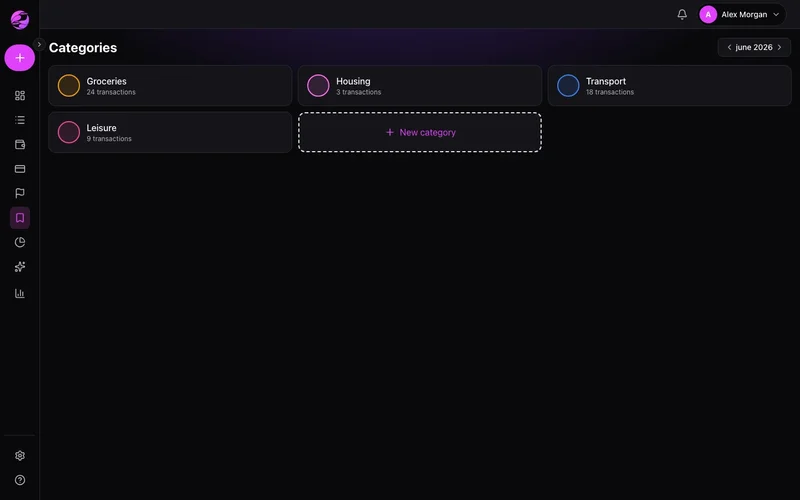
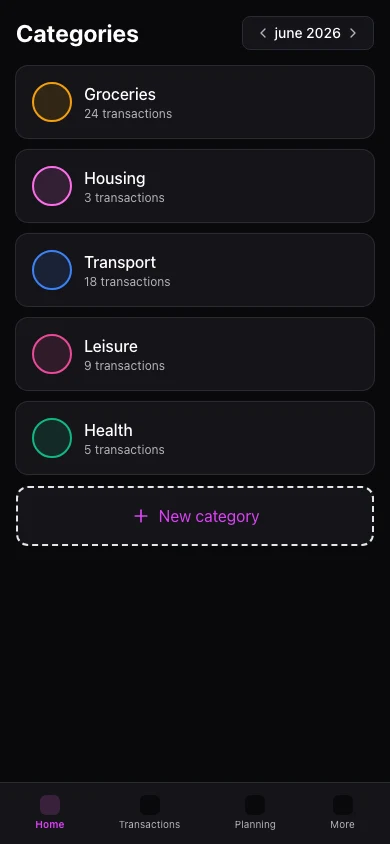
Default categories never fit
Generic labels make reports vague. Untagged lines become noise at month-end.
Your taxonomy, your rules
Rename, split, and tag transactions so filters and reports reflect your life.
The result
Clean books without hours of manual categorization.
Income and expense categories with icons and colors. Tags cross categories — Travel, Kids.
Import transactions from files on web. Premium adds CSV export.
Mobile supports categories and tags on transactions. Bulk import/export remains web-first.
Real example
Rule auto-tags every 'UBER*' ride as Transport — reports stay accurate without touching each line.
What you can do
- Custom categories and tags
- Auto-categorization rules
- Import and export for backup
- Premium: bulk import and advanced rules
How it works
- 1
Design categories
Mirror how you think about spending.
- 2
Tag strategically
Projects, people, or trips that span categories.
- 3
Import or export
Bring history or send Premium CSV elsewhere.
Frequently asked questions
How many tags on Free?
Rename categories later?
CSV export on mobile?
Supported import formats?
Related features
Ready for financial clarity?
Create your account in under a minute. Free forever — Premium only if you want it.
Start for free