
Credit cards without statement shock
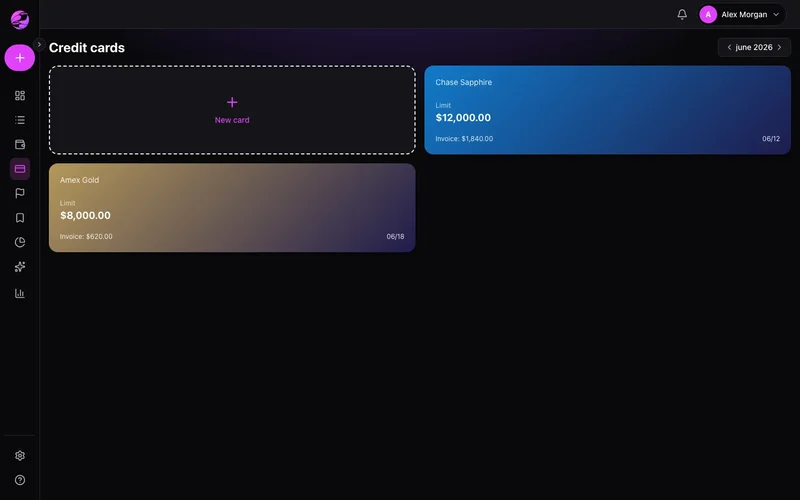
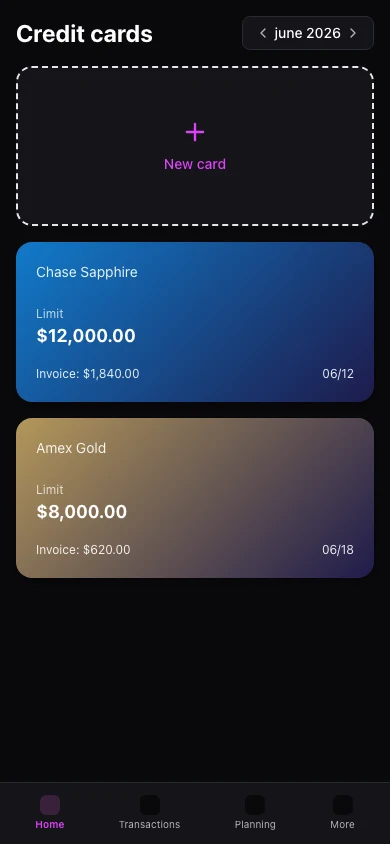
Track cards with closing and due dates, usage vs limit, and purchases in your monthly cash flow.
Card bills feel separate from reality
Swiping doesn't hurt until the statement arrives. Limits and due dates stay trapped in the bank app.
Cards inside your full picture
Kiskadees tracks each card's cycle, open statement, and usage alongside accounts.
The result
Card spending fits your monthly plan — no more bill shock.
Add cards with limit, closing, and due dates. Purchases land on the active statement.
Pay statements from a bank account and keep history for each billing period.
Mobile lists cards under More → Cards. Detailed statement editing is richer on web.
Real example
See utilization at 70% mid-cycle and pause discretionary swipes before the statement closes.
Qué puedes hacer
- Limit and utilization indicator
- Closing and due date per card
- Statement history by period
- Card spending in reports
Cómo funciona
- 1
Register the card
Enter limit, brand, and billing cycle dates.
- 2
Log purchases
Add expenses to the open statement.
- 3
Pay on time
Record payments and avoid interest.
Card limits by plan
Premium increases how many active credit cards you can manage.
Ver planesPreguntas frecuentes
How many cards can I add?
Do purchases affect account balance?
Edit statements on mobile?
What happens when a cycle closes?
Funciones relacionadas
Ready for financial clarity?
Create your account in under a minute. Free forever — Premium only if you want it.
Start for free