
Recurring spend, finally visible
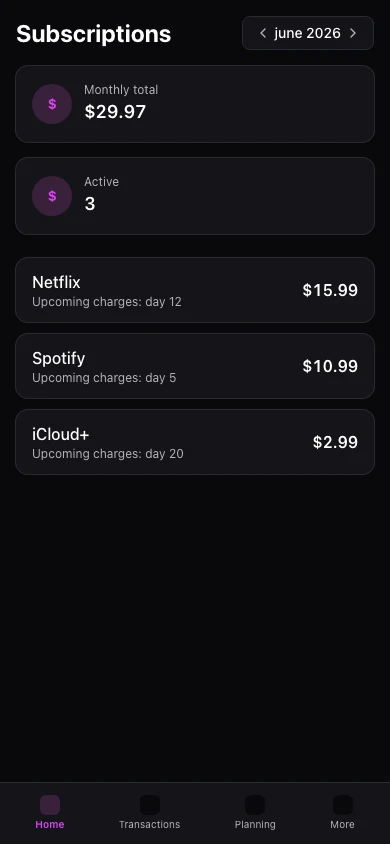
Streaming, cloud tools, gym — the subscription hub groups recurring charges so you cut what you forgot.

Subscriptions hide in small charges
Monthly amounts slip by until they add up to a serious line item.
One hub for recurring services
Track expected amount, renewal timing, and category for each subscription-like expense.
The result
Reclaim money from subscriptions you forgot existed.
The hub lists recurring transactions and labels services with expected amounts.
Combine with card and account views to see if a charge posted and fits the budget.
Mobile shows subscriptions under More. Full hub editing is richer on web.
Real example
Hub lists R$ 380/month in recurring charges — you cancel two unused streaming plans.
Ce que vous pouvez faire
- Central recurring list
- Expected amount and billing cadence
- Category and account linking
- Spot duplicates
Comment ça marche
- 1
Mark recurring items
Flag transactions or create templates.
- 2
Review the hub
See total monthly subscription spend.
- 3
Decide what stays
Cancel services that no longer fit.
Questions fréquentes
Does Kiskadees cancel subscriptions?
Detect new subscriptions automatically?
Hub on mobile?
Include annual renewals?
Fonctionnalités associées
Prêt pour une vision claire de vos finances ?
Créez votre compte en moins d'une minute. Gratuit pour toujours — Premium si vous le souhaitez.
Commencer gratuitement