
Structure that fits your habits
Custom categories, flexible tags, and import tools shape Kiskadees to how you really earn and spend.
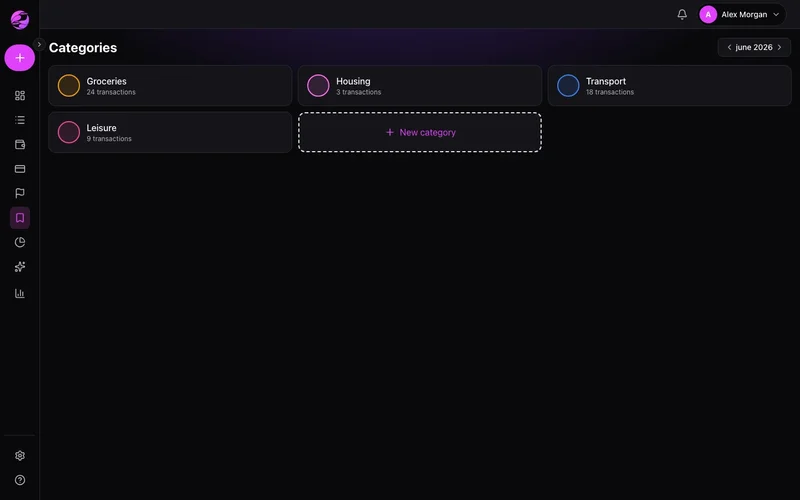
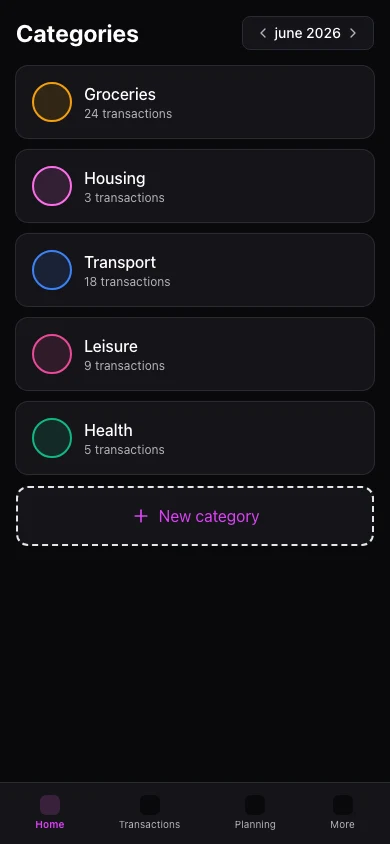
Default categories never fit
Generic labels make reports vague. Untagged lines become noise at month-end.
Your taxonomy, your rules
Rename, split, and tag transactions so filters and reports reflect your life.
The result
Clean books without hours of manual categorization.
Income and expense categories with icons and colors. Tags cross categories — Travel, Kids.
Import transactions from files on web. Premium adds CSV export.
Mobile supports categories and tags on transactions. Bulk import/export remains web-first.
Real example
Rule auto-tags every 'UBER*' ride as Transport — reports stay accurate without touching each line.
Ce que vous pouvez faire
- Custom categories
- Color and icon per category
- Cross-category tags
- Free: up to 10 tags
Comment ça marche
- 1
Design categories
Mirror how you think about spending.
- 2
Tag strategically
Projects, people, or trips that span categories.
- 3
Import or export
Bring history or send Premium CSV elsewhere.
Tags and exports
Free: 10 tags and import. Premium: unlimited tags and CSV.
Voir les tarifsQuestions fréquentes
How many tags on Free?
Rename categories later?
CSV export on mobile?
Supported import formats?
Fonctionnalités associées
Prêt pour une vision claire de vos finances ?
Créez votre compte en moins d'une minute. Gratuit pour toujours — Premium si vous le souhaitez.
Commencer gratuitement