
Goals that stay visible
Name a goal, set amount and deadline, and watch progress grow — motivation built into your finance app.
Clear targets
Name, amount, and deadline for each goal.
Live progress
Every deposit moves the bar immediately.
Several at once
Trip, emergency fund, and renovation in parallel.
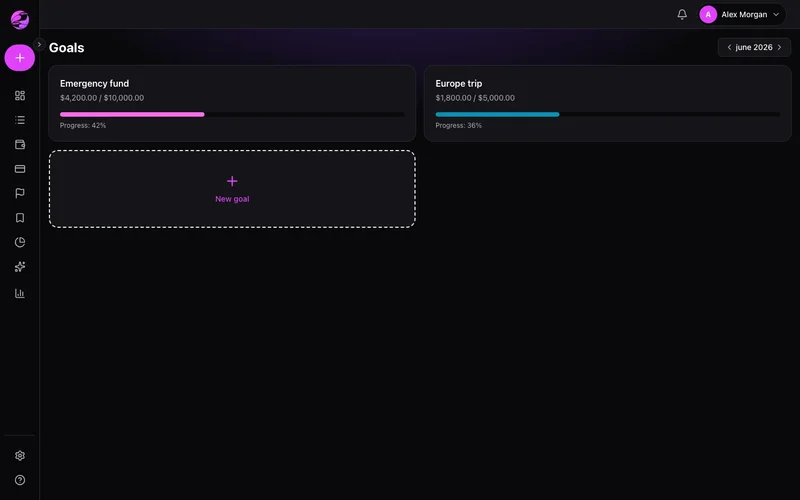
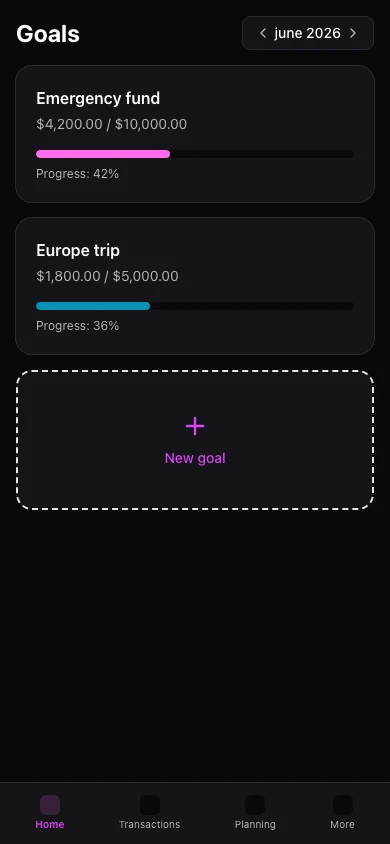
Savings goals live in your head
Without tracking, emergency fund and travel compete invisibly with daily spending.
Concrete goals with progress bars
Kiskadees goals show current balance, percent complete, and days remaining.
The result
Savings stop being abstract — you see progress every week.
Create goals for travel, emergency fund, or big purchases with target and optional deadline.
Log contributions manually. The dashboard can surface goal progress.
Mobile lists goals under More → Goals with the same indicators.
Real example
Emergency fund at 60% with three months left — you increase the monthly transfer and hit the target on time.
Ce que vous pouvez faire
- Target amount and optional deadline
- Percent and amount remaining
- Multiple goals side by side
- Free: up to 2 active goals
Comment ça marche
- 1
Set the goal
Name, target, and optional deadline.
- 2
Add contributions
Log transfers to savings or adjust balance.
- 3
Celebrate milestones
Track 25%, 50%, and 100% along the way.
Questions fréquentes
How many goals on Free?
Do goals move money automatically?
Share goals with family?
Goals on mobile?
Prêt pour une vision claire de vos finances ?
Créez votre compte en moins d'une minute. Gratuit pour toujours — Premium si vous le souhaitez.
Commencer gratuitement